


- REVIEWS
Camera Reviews 
More Reviews Mobile Reviews Photography Reviews - GALLERIES
- VIDEOS
- BUYER'S GUIDES

Please Don’t Take My Kodachrome Away; New & Better Profiled Kodachrome Scanning
“They give us those nice bright colors
They give us the greens of summers
Makes you think all the world’s a sunny day, Oh yeah”—Paul Simon
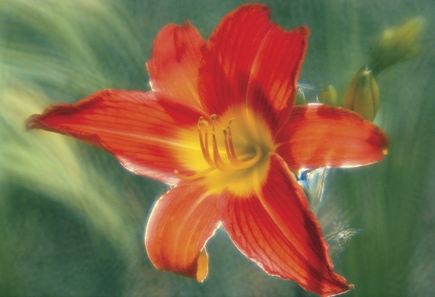
I don’t know of any other film brand that also became the title of a hit song like Paul Simon’s “Kodachrome,” released in 1973. But that is not all that makes Kodachrome unique among 35mm color films, as many of you who have collections of Kodachrome slides know. Besides reproducing the color of reality with a unique color palette, Kodachrome has also proven to be much more enduring than other color films. Any collection of Kodachrome slides stored in reasonably good conditions will have its original color and density very much intact, like some of my slides that go back 50 years.
 |
|
|
So even though Kodachrome is still made and sold, and one Kodak lab in Kansas is still in operation, the Kodachrome story I am about to tell involves scanning Kodachrome images. For me and I am sure many others, compared to E-6 and other related types of color transparency films, Kodachrome scanning has had its difficulties. Part of the reason is that scanners are usually profiled using an ICC IT-8 target slide made with Ektachrome film (or rarely, Fujichrome). Kodachrome dye colors are a unique distinguishing feature of the film and they do not match a scanner’s usual profile, making the scanning of Kodachrome a challenge. I am happy to report that now this situation has changed.
 |
|
|
The Search Begins
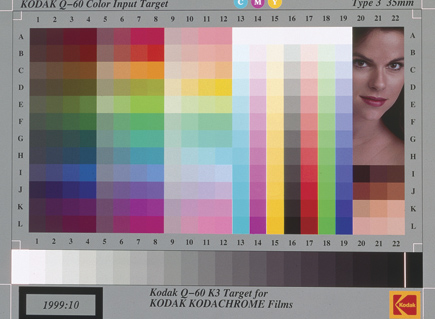
The story of that change began many months ago when I read a post in the Shutterbug Forum that a photographer had just purchased a Kodak K3 Kodachrome IT-8 target slide from B&H. I am rather plugged in to news and information about photography, but was unaware Kodak had ever produced IT-8 scanner profiling target slides on anything but Ektachrome. To my knowledge they never publicized that Kodachrome IT-8 target slides existed or were available (and I now understand why, as I’ll get to later). So of course I got on the B&H website and ordered one immediately, and it arrived shortly. Wow, now I could profile my scanners specifically to match Kodachrome film.
 |
|
|
Not so fast. The Kodak K3 Kodachrome IT-8 target slide was made in ’99 and the target pattern was the old “Marilyn” version, so named because of the face of a model in the upper right quadrant of the target image. My only current profiling ability for my scanners was in LaserSoft’s SilverFast IT-8 profiling utility, and the software did not recognize that old Kodak IT-8 target configuration.
 |
|
|
I’m used to detours and having to do work-arounds, but this one was not easy because most of the older scanner input color management software companies, like Monaco Systems, are out of business. And the Kodak profiling utility that was included with Microtek’s ArtixScan scanners only works with those scanners, which I didn’t have. Finally, I found that X-Rite has an input scanner profiling software module that is part of their i1 Photo color management system, and X-Rite was generous enough to provide a loan of this rather expensive suite of color management hardware and software for my tests.
 |
|
|
Profiling A Scanner For Kodachrome
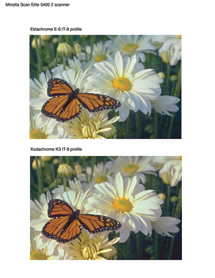
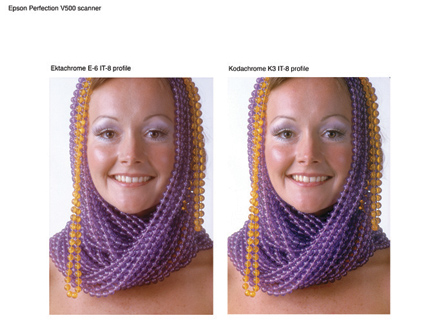
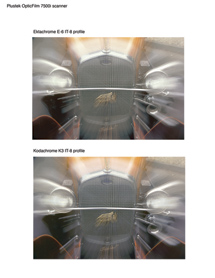
The X-Rite input profiling module in i1 Photo worked like a charm, recognizing the old K3 Kodachrome IT-8 target to calibrate and generate new Kodachrome profiles for three different scanners I have in my shop—a Plustek OpticFilm 7500i, an old Minolta DiMAGE Scan Elite 5400 II, and an Epson Perfection V500 Photo. So the next step was to test these new profiles by scanning a selection of different images on Kodachrome, and also to make as close as possible duplicate scans using a profile for the scanner made with an Ektachrome IT-8 target.
 |
|
|
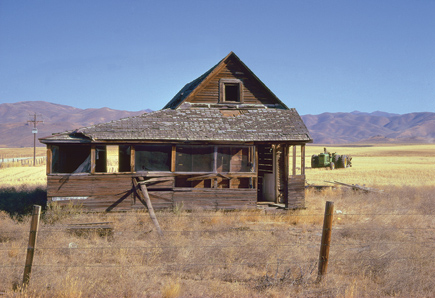
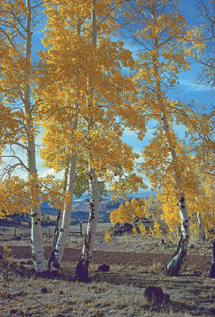
Comparing the scan results from the two profiles, one Kodachrome and the other Ektachrome, revealed a definite difference, and with many of the Kodachrome scans a very distinct advantage that of course varied somewhat between the three scanners. With some Kodachrome scans, particularly images I had difficulty scanning successfully in the past, I could obtain a good quality result with the Kodak K3 Kodachrome IT-8 based profile. The most obvious difference was in the greater fidelity to the Kodachrome film original, plus the lack of strange anomalies of color shifts in some tonal areas. I was also able to retrieve more and better detail from the shadow area in the image. Of course I was encouraged and enthused and continued test scanning of many more Kodachrome slides with these new Kodachrome profiles.
 |
 |
||
|
|
LaserSoft’s SilverFast Gets Involved
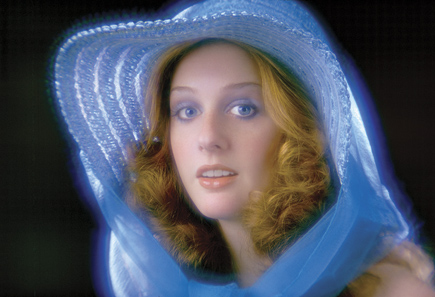
From the results of my tests with the profiles made with the Kodak K3 Kodachrome IT-8 profiles, I made up sets of CDs with the test image files and sent one to my editor at Shutterbug and another to Karl-Heinz Zahorsky, president and founder of LaserSoft Imaging, makers of the SilverFast scanning software. I’ve known Karl-Heinz Zahorsky since we first met when Epson introduced their then new Expression 836XL large format professional scanner with LaserSoft’s SilverFast software and we have kept in touch ever since. In a phone conversation during my testing period, I learned he also had the Kodak K3 Kodachrome IT-8 target slide and was also thinking about where he could go with it. We agreed that the supply of these Kodachrome IT-8 target slides was probably very limited, so we considered how this profile might become more widely available.
 |
|
|
















 FEATURED VIDEO


Get the Latest Photo Tips, News & Reviews from Shutterbug!







| Camera Reviews Other Reviews | |
Mobile Reviews Photography Reviews Columns | |
News | |
Features | |
How-To | |
Resources |
 © 2026 Shutterbug
AVTech Media Americas Inc., USA
All rights reserved