


- REVIEWS
Camera Reviews 
More Reviews Mobile Reviews Photography Reviews - GALLERIES
- VIDEOS
- BUYER'S GUIDES

The Digital Portrait
Quality, Speed, And Convenience
A few short years ago, many writers and photographers, myself included, were of the opinion that in a few short years film would be history, with the exception of a few "niche" areas of photography, like, say, infrared. Now that I've been shooting digitally for well over a year with my Fujifilm S-1 Professional, I can tell you that I still shoot both film and digital, and expect that I will for some time now. The short answer is that there are times when one is the more logical choice. I usually take at least three trips per year. For my fun vacation photos I like to use film. My final objective is to get a set of prints to show friends and relatives, and it's frankly a lot less hassle to just use a point-and-shoot camera with a zoom lens and built-in flash. It fits in my pocket and gives me great quality. I've been using a Nikon One Touch Zoom 90 that even has a macro feature that I picked up for $100. Cost and convenience wise, it's the best. However, if I am going on an assignment things are different. Knowing I'd be taking hundreds or thousands of photos and using only a handful, digital would make more sense. You see where I'm going here? Define your objective, and the answer of which medium to shoot will actually be quite simple. |
|||
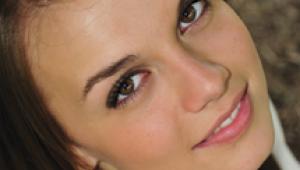
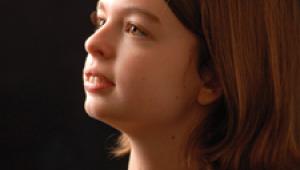
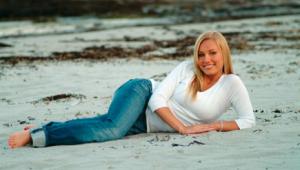
This brings us to the case at hand--the individual portrait. (Group portraits raise other concerns which I won't address here.) Follow my reasoning here and see if it makes sense to you. Seniors On Digital Now a typical senior in past years would order a folio of eight poses along with their package order with maybe four or five poses. We now have people ordering two folios, eight poses. One person ordered an album with 50 5x7s! Do we like that? Yes, we do. Could I do this with film? No. |
|||
Digital Presentation I use an IBM Microdrive or two 128MB cards for storage during a session. I download the files into my main computer immediately after the session and then burn a CD. This takes about 10 minutes. I later edit the files and print 15 of them on an 8x11 sheet of paper on my Olympus dye sublimation printer. The client picks them up the next day, pays a deposit, and makes an appointment to order. The high quality dye sub photos are big enough to see but too small to copy. This method, along with a minimum order policy, has worked very well for us this year. Now let's get back to the technical stuff for those of you who may make a living at this business. Quality Results |
|||
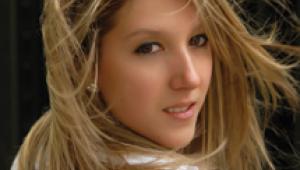
To make sure my exposure is perfect, I have "nailed" down my studio lights so that my exposure is always the same--in my case, f/13. Outside, I prefer using my trusty incident meter under my subject's chin rather than the in-camera meter. I'm not good at judging the exposures on the LCD screen and I find it's much faster if I'm not constantly stopping to look at the shot--it slows down the "flow" and then my client wants to look at them also. So I usually just look at the first shot from each different location (inside/outside) just to make sure I've set everything back the way it should be. Then I just shoot rapidly with my "unlimited film supply." It works for me. I did have to modify my shooting style somewhat for my outdoor photography. I would love to place my subject in an area where she was strongly backlit and just blow out the highlight details in the hair and background. Do this with digital and you'll have some very unhappy clients. I find that digital just cannot capture as full a range from shadow to highlight area as film can, so you must compress the range of your scene by either adding flash or moving. I move. |
|||
My style has always been very natural and I rarely use flash in my outdoor portraits, so I choose areas where I do not have deep shadows and am very careful about bright highlights, especially in the background. I shoot everything as if Photoshop didn't exist. Can things be fixed after the fact? Sure. Do I want to do it or pay someone to do it? No. Get it right the first time. Digital shooting should make you a better and more aware photographer, not a sloppier one. I couldn't fix it in the old "film days," so why should I now? If you're not shooting digital portraits yet, get out there and do it. A 3-megapixel camera and a good lab will put you in business. All photos taken with a Fujifilm S-1 Professional camera, Tamron 28-105mm f/2.8 lens. E-mail me at steve@stevebedell.com and I'll send you the ideal camera settings to use with your Fuji and Canon cameras. Digital Portraits |


| ||
|
||









 FEATURED VIDEO


Get the Latest Photo Tips, News & Reviews from Shutterbug!







| Camera Reviews Other Reviews | |
Mobile Reviews Photography Reviews Columns | |
News | |
Features | |
How-To | |
Resources |
 © 2026 Shutterbug
AVTech Media Americas Inc., USA
All rights reserved