


- REVIEWS
Camera Reviews 
More Reviews Mobile Reviews Photography Reviews - GALLERIES
- VIDEOS
- BUYER'S GUIDES

Lesson Of The Month
Basic Studio Portraiture
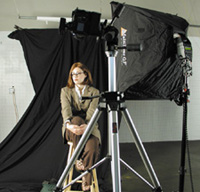
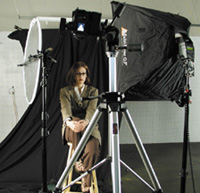
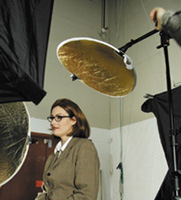
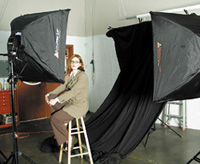
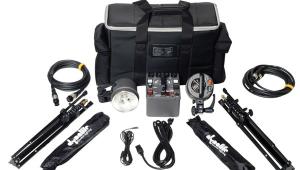
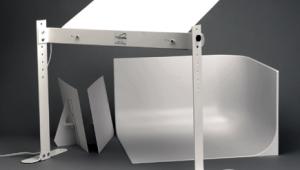
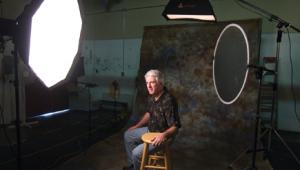
| The basics of portrait photography could fill many large books. We have decided to concentrate on one application with a few variations on the theme for this lesson. For our backdrop, we draped a black muslin drop cloth on a Boom attached to a Litestand. Next, we set up a medium Photoflex MultiDome softbox as the main light source to the right of our model (#1 below). We attached the softbox to a Quantum Qflash strobe powered by a Quantum Turbo. Because the softbox blocks the Qflash's sensor, we set the flash to manual and dialed in the power, f/stop, and film speed settings by using the Mode, Set, and up/down buttons. We wanted the background to be slightly soft (out of focus), so we determined that the camera's aperture should be set to f/8. To ensure that there would be no motion blur, we set the shutter speed to 1/250 of a sec. This first exposure shows the main light position and exposure. A one light portrait can be dramatic in effect because of the contrast between light and shadow (#2). A longer lens does not distort a model's face the way a normal or wide angle lens can, so we used the 140mm lens on our Contax 645. One of the great things about the Contax is that it comes with 90 prismfinder. The prismfinder allows you to look directly at your subject while shooting. This is especially advantageous for shooting portraits as the image is right side up, and the composition of the photo is easy to see. In order to fill in the shadow on the left side of the face, we attached a Litedisc reflector to a Litedisc holder to reflect light into the shadowed areas of our model. We used a soft gold reflector surface, which "warmed up" the model's face (#3). The results show a more balanced lighting scheme as the Litedisc helped to fill and warm up the shadows (#4). To enhance the color of the model's hair, we set up a gold MultiDisc reflector above her. This reflector caught the light from our main light and bounced it onto the top of her head. This allowed us to get more highlights from the hair and put some light on the shoulders (#5 and #6). Now we were ready to shoot a variety of poses, but we wanted a little more depth to the image. Because the background is black and not lit, it comes across as a little too flat. So we set up another Quantum Qflash powered by a Turbo battery in a large MultiDome and positioned it to light the background (#7). By draping the muslin in folds, we added texture to the image. We then turned the model so that the angle of her body matched the angle of the backdrop. This created a harmonious visual effect that draws the viewer's eye up and across the image (#8). Understanding and experimenting with the different elements of your shot enables you to find the shot you're after. This lesson will be posted in the free public section of the Web Photo School at: www.webphotoschool.com You will be able to enlarge the photos from thumbnails. If you would like to continue your digital step by step education lessons on editing, printing, and e-mailing your photos it will be on the private section of the Web Photo School. Technical Equipment |
|
|
|
|




| ||
|
||









 FEATURED VIDEO


Get the Latest Photo Tips, News & Reviews from Shutterbug!







| Camera Reviews Other Reviews | |
Mobile Reviews Photography Reviews Columns | |
News | |
Features | |
How-To | |
Resources |
 © 2026 Shutterbug
AVTech Media Americas Inc., USA
All rights reserved