Picture This! High Contrast
Shutterbug Staff, March, 2007

Our Picture This! assignment this month was High Contrast, in camera or in the
darkroom (including digital). We received an overwhelming response from readers
who used special effects on a wide range of subject matter. We were excited
to see that this venerable form of expression has gotten new life thanks to
digital techniques, and while quite a few of the images were first photographed
on film, the digital darkroom created access to creating classics in the high-contrast
genre.
At The Zoo |
|
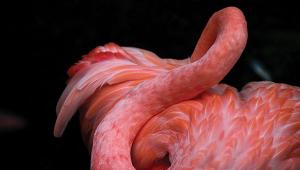
Curt A. Christianssen sent us a series of images made at the Los
Angeles Zoo. He worked with a Nikon D2X with a Nikkor 70-200mm
lens attached to a TC-20E II tele-converter. He worked with the
Threshold adjustment in Photoshop CS2 to get the desired contrast,
then added “acid” frames with onOne’s PhotoFrame
Pro 3 software, and printed using black only with a Canon S9000.
© 2007, Curt A. Christianssen, All Rights Reserved
|
|
Classic Bridge |
|
The Brooklyn Bridge got the treatment from Joe Constantino by
first being photographed on Tri-X Pan with a Nikon FE and a Nikkor
50mm f/1.4 lens. He scanned the negative using a Nikon Coolscan
V and then solarized the image in Photoshop CS, where he gave
it a further high-contrast touch.
© 2007, Joe Constantino, All Rights Reserved
|
|
The Nonconformist |
|
Edmond L. Bridant made this photo with a Honeywell Pentax 35mm
camera and a Vivitar 135mm f/2.8 lens on Ilford’s HP5 film.
The negative was scanned on an Epson 2450 and manipulated in Photoshop
CS2 with Levels and the Brightness/Contrast control. The result
was printed using an Epson 2400.
© 2007, Edmond L. Bridant, All Rights Reserved
|
|
Cemetery In Winter |
|
Among the color entrants was this graphic image from Lester O.
Prince. He photographed the scene with a Canon PowerShot G2 and
then used Photoshop’s Emboss and Glowing Edge filters to
create this stark effect.
© 2007, Lester O. Prince, All Rights Reserved
|
|
Mission |
|
Color and high contrast work well, too, as evidenced by this stark
image from Jim Mitchell. Made in San Antonio, New Mexico, Mitchell
photographed with a Nikon D2X and a Nikkor 28-70mm zoom lens.
In Photoshop CS2 he adjusted Curves and the Brightness/Contrast
layers.
© 2007, Jim Mitchell, All Rights Reserved
|
|
Peace & Quiet |
|
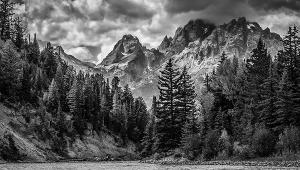
This image by Stanley A. Singer combines a high-contrast rendition
and subtler tones. Singer worked with a Nikon D200 and an 18-200mm
Nikkor lens; exposure at ISO 160 was f/14 at 1/45 sec.
© 2007, Stanley A. Singer, All Rights Reserved
|
|
Chicago Public Library |
|
This ethereal image was made by JG Boyer with a Yashica Mat 120
camera on Ilford’s Delta 100 film. Boyer then scanned the
image and inverted it, then printed it out on an Epson Stylus
Photo RX500.
© 2007, JG Boyer, All Rights Reserved
|
|
The Storm |
|
This pen and ink rendition was created by Alan Scharf using a
Pentax 35mm camera and a 55mm lens on Tri-X. The negative was
then copied to litho film and “sandpapered” prior
to printing.
© 2007, Alan Scharf, All Rights Reserved
|
|
Bas Relief |
|
Using a classic darkroom technique, Raymond L. Emery made the
original negative on Kodak’s Plus-X with a Praktisix camera
and a Jena Biometar 120mm f/2.8 lens. He then created a
high-contrast film negative and positive, which he sandwiched
slightly off register and enlarged. He also added a grainy, high-contrast
negative of clouds. He scanned the result on an Epson 4990 and
made an 8x10 on a Canon S9000 printer.
© 2007, Raymond L. Emery, All Rights Reserved
|
|
Fireworks |
|
Proving that amazing potential rests within each image, Mike Casso
created this image from a long-time exposure of fireworks made
with a Nikon D2X camera. He then desaturated the image for this
abstract effect.
© 2007, Mike Casso, All Rights Reserved
|
|
Cable Car |
|
While no technical information was supplied, we were very taken
by this etch-like image sent to us by Harry O’Connor.
© 2007, Harry O’Connor, All Rights Reserved
|
|
|