


- REVIEWS
Camera Reviews 
More Reviews Mobile Reviews Photography Reviews - GALLERIES
- VIDEOS
- BUYER'S GUIDES

In-Camera Monochrome Contrast Control
In-Camera Monochrome Contrast Control
Get Film & Filter Looks With Your Digital Camera
by George Schaub
Although the images you create are in color (RGB) you also have the ability to create black and white images in your digital camera using the Monochrome “creative” or “picture style” setting. This “desaturates” the color but the image remains in RGB mode. Most cameras have various options in this style, including adding various “filter” effects. These emulate how a black and white film image would be altered when shooting with a color filter over the lens. Often called “color contrast” filters they affect how certain colors within the scene are rendered, making some lighter or darker than they would be without the filter.
 |
|
 |
|
 |
|
|
These “filters” process the image so that whatever color you choose is made brighter while the complementary color (on the color wheel) is made darker. Want brighter and more defined greens in your forest images? Choose a green or yellow filter effect. Want to make a blue sky darker? Use a red filter effect.
Using these filters in Monochrome mode is a way to change the way a color reproduces in black and white, making some lighter and some darker, and is a great way to affect the contrast and exposure right from the camera.
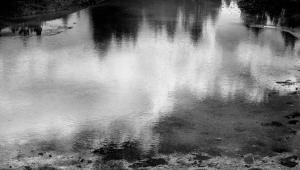
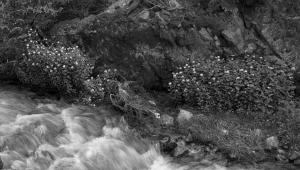
These drifting clouds in a bright blue sky stand out nicely in a color image, but how would you get an even more dramatic effect in black and white? When you choose Monochrome as a “style” you also have options for “filter” effects. Here’s the shot in Monochrome with no filter effect applied. A red filter effect deepens the sky to make the clouds stand out even more. The red “filter” effect is processed so that it holds back the brightness value of blue, its complementary color.
| ||
|
||







 FEATURED VIDEO


Get the Latest Photo Tips, News & Reviews from Shutterbug!







| Camera Reviews Other Reviews | |
Mobile Reviews Photography Reviews Columns | |
News | |
Features | |
How-To | |
Resources |
 © 2026 Shutterbug
AVTech Media Americas Inc., USA
All rights reserved