


- REVIEWS
Camera Reviews 
More Reviews Mobile Reviews Photography Reviews - GALLERIES
- VIDEOS
- BUYER'S GUIDES
Adobe’s Photoshop Elements 4.0; It’s Back, It’s Updated, But Only For Windows
Product cycles being what they are, it seemed to me that it was about time for another iteration of Adobe's Photoshop Elements a.k.a Photoshop for the less well-heeled, and so here it is. In Version 3.0, Adobe gave up on trying to make Elements look like Photoshop and that was a big step forward. In this latest version they've built upon that improved interface to make an already wonderful program even better.
 |
|
|
Organize And Edit
Out here on Elementsland, Adobe Systems broke up what used to be a single program
into modules, each of which let you do different things, such as Organize or
Edit. That's supposed to make things easier and Adobe has carried that
same thinking over to Photoshop CS2 with its new and separate Bridge application.
Personally, I find bouncing back and forth between applications to be a pain,
but it isn't hard to do and is more fun than mowing the lawn.
 |
|
|
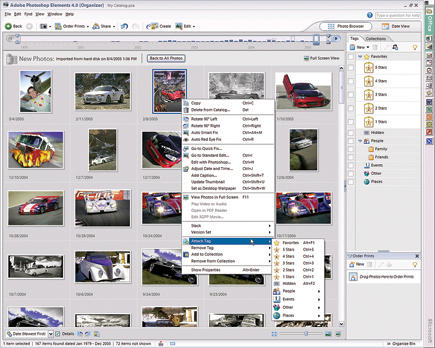
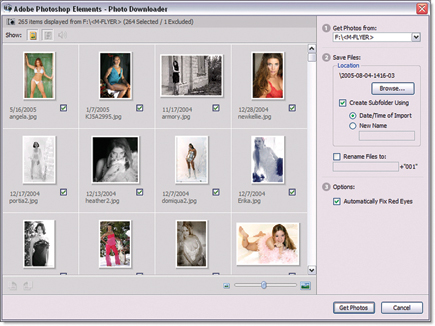
When working in Organizer, which was my favorite part of Version 3.0, thumbnails are created as you scroll. If you want to make digital "wallpaper" using multiple images, just select those photos and choose Edit>Set As Desktop Wallpaper. As part of remaking Elements 4.0 into something a soccer mom can use to organize photos of her team members, the program automatically fixes redeye problems when you import image files. Like any well-behaved program it doesn't do this without asking permission first, and will be a huge time saver when importing party snapshots. If you're in hurry to see the photos, red eyes and all, you can always batch correct those eyeballs later.
 |
|
|
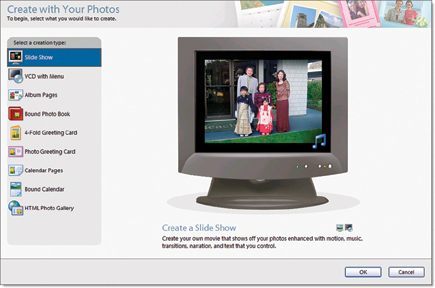
You can also use Organizer to build a slide show and customize it with text, graphics, transitions, and pan and zoom effects to add a Ken Burns touch to that shot of Sluggo diving into second base. You can even add your own narration, now that Richard Kylie isn't available. If you already have Windows XP Media Center Edition 2005 (www.microsoft.com/windowsxp/mediacenter/default.mspx) installed, you can view images and slide shows on your television while using its remote control to navigate through the photos. You have to make sure your computer is first connected to the TV, otherwise this feature won't work.
 |
|
|
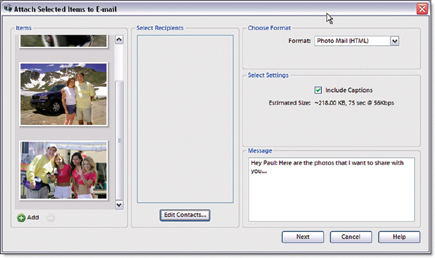
Photoshop Elements 4.0 lets you share images with friends and foes alike by simply dropping them into a "Collection" and then into a sharing service that's directly connected via the software to the Internet. You can also search those collections based on keywords, captions, or even specific information that may be contained in the file's EXIF data.
 |
|
|
Image Editing Made Easier
Making selections has always been a challenge in Photoshop as well as Elements,
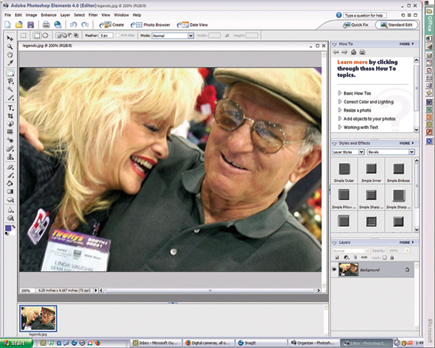
and that's why I was excited to use the new Magic Selection brush to scribble
or just make a few dots in an area to select it. You don't have to be
precise and after you release the mouse button, Photoshop Elements 4.0 draws
the selection. You can use Indicate Foreground a.k.a. Genie tool to add to the
selection.
 |
|
|
| |||||||||
|

| ||||||||


 FEATURED VIDEO


Get the Latest Photo Tips, News & Reviews from Shutterbug!







| Camera Reviews Other Reviews | |
Mobile Reviews Photography Reviews Columns | |
News | |
Features | |
How-To | |
Resources |
 © 2026 Shutterbug
AVTech Media Americas Inc., USA
All rights reserved