


- REVIEWS
Camera Reviews 
More Reviews Mobile Reviews Photography Reviews - GALLERIES
- VIDEOS
- BUYER'S GUIDES
Convert To BW Pro 3.0; Intuitive Conversions Live Previews Contrast Control
The surging popularity of monochromatic images in fine art and graphic design has led photographers and artists to devise their own Photoshop techniques to convert their color images to black and white. Unfortunately, the Photoshop function of Desaturate falls far short in giving the needed control of the monochromatic conversion process. Other Photoshop techniques like individually adjusting source channels in the Channel Mixer feature with the Monochrome check box option are not particularly intuitive.
 |
There are a number of plug-ins from "third-party" developers that address this process, some more intuitive than others. In this test we'll look at The Imaging Factory's Convert to BW Pro, Version 3.0, and see if it is up to the task.
Using Convert To BW Pro
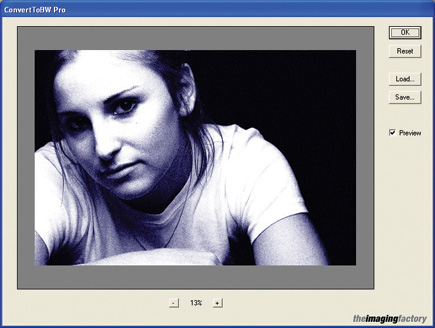
The plug-in opens with a "live" image preview panel that shows the
real-time results of changing the conversion parameters. The preview panel allows
you to zoom out to see the full image or zoom in to see down to the pixel level.
Along with the preview panel, there is a Parameters panel that contains the
fine-tuning controls for the color to monochrome conversion.
 |
|
|
Prefilter Tab
The Prefilter tab on the Parameters panel simulates the effect of placing colored
filters on your lens when shooting traditional black and white film. The filter's
specific color hue and saturation can be individually adjusted. Traditional
black and white shooters will feel at home playing with the filter Hue slider,
which accurately simulates the effects of classic yellow, orange, red, and green
filters.
 |
|
|
Color Response Tab
Working in conjunction with the Prefilter tab, the Color Response tab enables
adjustment of the conversion software's sensitivity to various colors
of the spectrum. This feature is useful in fine-tuning the conversion of specific
color tones in the image, like flesh tones in a portrait or blue sky in a landscape.
For the film emulsion purists among us, The Imaging Factory also has included
the actual spectral response curves of several black and white films including:
Agfa Pan APX, Ilford Delta, Ilford FP4, Kodak T-Max, and Kodak Tri-X.
 |
|
|
Contrast Tab
The Contrast tab simulates variable film developing and printing with multicontrast
filters. The Negative Exposure slider approximates the effect of changing the
exposure of the "negative" by varying development time, giving relative
over- or underexposure of the base image. Similarly, the Paper Exposure slider
is analogous to the amount of time a print is exposed under an enlarger--the
longer the paper exposure, the darker the print. Finally, the Multi-grade slider
simulates the contrast grade of paper or multicontrast filter used for printing.
These controls are very intuitive for darkroom dwellers, and they give considerable
flexibility in creating the right look and feel of the final image. Clearly
this program will be more intuitive for experienced black and white film shooters,
though those who've never shot film will catch on quickly.
 |
|
|
| |||||||||
|

| ||||||||


 FEATURED VIDEO


Get the Latest Photo Tips, News & Reviews from Shutterbug!







| Camera Reviews Other Reviews | |
Mobile Reviews Photography Reviews Columns | |
News | |
Features | |
How-To | |
Resources |
 © 2026 Shutterbug
AVTech Media Americas Inc., USA
All rights reserved