


- REVIEWS
Camera Reviews 
More Reviews Mobile Reviews Photography Reviews - GALLERIES
- VIDEOS
- BUYER'S GUIDES
Epson Perfection 1200 U Photo
It's getting to be expected, even taken for granted, that digital imaging technology will get better and cheaper as each season rolls around. But the new Epson Perfection 1200U Photo scanner goes beyond normal expectations. In addition to twice the optical resolution of the previous Perfection 636, now at 1200x2400dpi, and at a price 1/3 to 1/4 the cost of 1200dpi optical resolution scanners of just a few months ago, the perfection is also fast--one of the fastest flat-bed scanners I've tested. The Perfection 1200 series of scanners involves three models: the 1200U which is a USB interface reflective only scanner; the 1200S which provides a SCSI connection instead of USB; and the 1200U Photo which is the USB version with the addition of a film scanning adapter. Prices start at $249 for the 1200U, $299 for the 1200S, and $349 for the 1200U Photo. |
|||
The Perfection 1200 model scanners
are compact with a letter-size scan area. All models scan color at 36-bit
depth with an optical density range of 3.0. Both of the "U"
models are intended for use with Windows 98 and the Apple iMac as well
as the most recent Power Macintosh G3 and G4 models, while the 1200S supports
all platforms including Windows 95, 98, NT and all Power Macintosh models,
and provides even faster performance than the USB versions. All models
include the latest Epson Twain driver, Adobe PhotoDeluxe, NewSoft Presto
PageManager, Broderbund The Print-Shop PressWriter, as well as ArcSoft
PhotoPrinter 2.0 as part of the software package supplied with the scanners.
The transparency unit is also available as an extra cost accessory for
the 1200U and 1200S, as is a document feeder for automated scanning. |
|||
While still on the Windows machine I scanned some color photographic prints I came across while looking for transparencies to test scan. These scanned with great ease, and confirmed Epson's claim that the 1200U is in fact a very speedy scanner. I also learned in the process the Epson Twain driver's color correction tools are essentially the same as they have been for some time, although the automatic adjustment capability seems to be much more accurate and refined. The driver's manual color adjustment controls remain less than intuitive and still rather different from common image editor color adjustment practice. This is not a problem unless a user ignores the how-to documentation provided with the scanner. However, for more typical, normal image quality photos, either prints or film, the automatic adjustment will probably serve most users well, and manual adjustment will only be needed with over or underexposed images, unusual subjects, and high or low-key lighting effects. |
|||
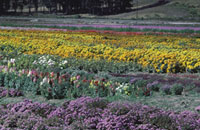
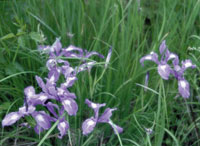
I then moved the scanner to my Mac and undertook the bulk of the film scanning trial. The Epson Twain screen interface adjusts nicely to the selection of transparent media providing a window sized for the 4x5" scan area. Concerned about the optical density range of 3.0 being adequate, I chose a 120, 6x7 Kodachrome transparency for my first scan, one of my ubiquitous flower field photographs. The scan quality was pretty amazing capturing clean tones from off-white flowers to deeply shaded green foliage. Encouraged with this I made several more 120 and 4x5 mostly Ektachrome, Fujichrome, and Agfa-chrome film scans with equally clean color results. Still curious what the Epson 1200U Photo would handle, I then scanned a set of black and white 120 negatives. Some were 6x4.5cm format, so I also pushed the resolution to 1600dpi. The resulting scans were also free of noise that might be caused by reaching the limits of the scanner's density range. In addition, only zooming to 2x on screen in Photoshop, these images were quite sharp with only a hint of stair-step aliasing in fine diagonal lines--not enough to even show up in print output. In fact, some of my film scans set for an output of 12x16" at 300dpi made large prints on 13x19" paper which were quite comparable in quality to images scanned in the past with much more expensive equipment. |
|||
Evaluation And Recommendation.
The price is sure right for an enthusiastic photographer to get
into digital darkroom fun. And for those who have prints and medium or
large format film to scan, the Epson Perfection 1200U Photo is a very
capable, extremely efficient, and easy scanner to use. It will scan 35mm
film and produce a digital image file which will make a good 5x7 print,
but it is not fully comparable to a dedicated 35mm film scanner. So it
is not a recommended solution if 35mm film is all you want to scan with
it. For anyone with a variety of photo formats to scan, the Perfection
is aptly named as a choice for an entry-level photo scanner. And, the
extensive software bundle is a powerful advantage providing the ability
to organize, edit, and get creative with photos, as well as use the scanner's
output in all kinds of documents and publications for print, on the web,
or attached to e-mail, as well as provide all of the office and text/data
document functions including OCR. The scanner combined with a printer
will also function as a copier and fax machine through your computer and
modem if you don't have one of those and need that functionality. |
|||
Technical Specifications Scanner Type:
Flat-bed color image scanner |
|||
LaserSoft SilverFast Ai 4 For The Epson Perfection 1200 LaserSoft SilverFast first
came to my attention when I reviewed the Epson Expression 836XL scanner
a while back. It is a professional quality software driver which is also
quite easy and efficient to use. By providing the ability to control every
dimension of image quality precisely, a user can achieve the highest quality
scan results possible from the scanner hardware. Silver-Fast provides
an accurate histogram dialog to exactly define the image gamut, as well
as a slider controlled curve adjustment tool to get the image tone relationships
just right. In addition to an overall color balance adjustment tool, SilverFast
has a 12 level selective color adjustment so you can alter the hue, saturation,
and brightness of just a very narrow band of color like skin tones, without
altering the other colors in an image. Besides having full manual control
a wide selection of automated adjustments can be used, optimized for different
subjects like portraits or landscapes, which can also be fine-tuned to
pre-selected requirements by the user. |





| ||
|
||


 FEATURED VIDEO


Get the Latest Photo Tips, News & Reviews from Shutterbug!







| Camera Reviews Other Reviews | |
Mobile Reviews Photography Reviews Columns | |
News | |
Features | |
How-To | |
Resources |
 © 2026 Shutterbug
AVTech Media Americas Inc., USA
All rights reserved