


- REVIEWS
Camera Reviews 
More Reviews Mobile Reviews Photography Reviews - GALLERIES
- VIDEOS
- BUYER'S GUIDES

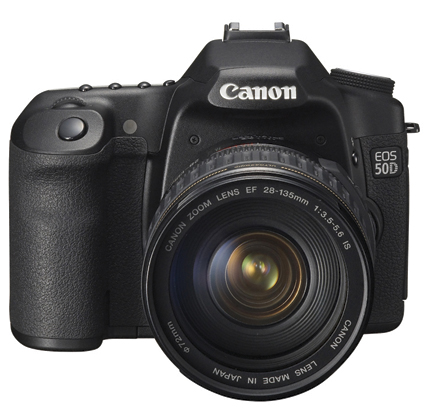
Canon’s EOS 50D D-SLR; 15.1MP, Live View With Face Detection And 6.3 FPS
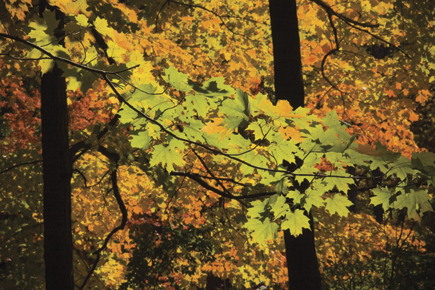
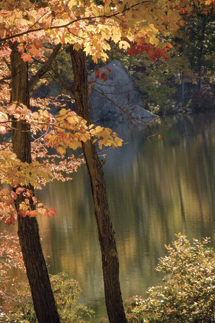
While driving around upstate New York during the peak fall foliage season and testing the new Canon EOS 50D, I met the perfect candidate for this camera. Upon rounding a curve there sat the mother of all fall foliage trees, a sugar maple in full red and yellow glory. As I hit the brakes and pulled off to the side of the road, I saw car after car slowing up or just stopping in the middle of the road so the driver or passenger could take some shots. One driver did a U-turn and came out shooting, Canon EOS 30D in hand. It turns out the guy was a pro, who of course immediately noticed that I had the new 50D. “The 30 is my glove compartment camera,” he explained. “I usually shoot with the EOS-1Ds Mark III; I do fashion. But this is my everyday companion.” After we compared notes and took some shots with the 50D he seemed to feel that this new Canon D-SLR might become that second body after all.
 |
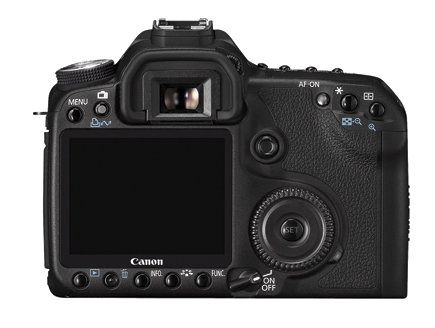 |
Priced at $1399 (body only), the Canon EOS 50D sits squarely in enthusiast prime and pro “second body” territory. (With an EF 28-135mm f/3.5-5.6 IS “kit” lens, $1599.) It sports a 15.1-megapixel sensor, a 6.3 fps (frame per second) framing rate (JPEGs), and extended ISO settings, up to 12,800. This 14-bit raw camera has a bright and daylight-readable 3” LCD, numerous Custom Functions, and a set of controls that, after practice, allow for just about every trick in the exposure and focusing book. While it does bow to the amateur sector, with Scene modes and even Face Detection in Live View mode, this does not get in the way of it being an extremely versatile photographic tool.
|
Outdoor Fill
|
|
 |
|
|
Some may question squeezing 15.1 megapixels on an APS-C size sensor, but thanks to the DIGIC 4 processor, noise levels, which can be smoothed in various levels of Noise Reduction (NR) control, are tolerable even as high as ISO 3200, though you can shoot up to ISO 12,800 if need be. The highest shutter speed is 1/8000 sec, which, when combined with the 6.3 fps rate in JPEG shooting for up to 90 frames, means that the 50D should be seriously considered by those doing event and sports photography.
|
Brackets
|
Auto Lighting Optimizer
|
||
 |
 |
||
|
|
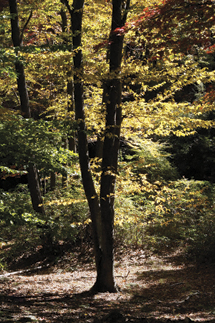
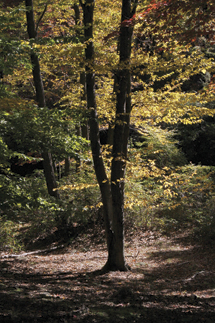
The 50D continues the march toward enhanced in camera images by processing with something Canon dubs “peripheral illumination correction”—vignetting control in layman’s language—which automatically can correct for any light falloff at the edge of images with certain lenses/aperture settings, something you could do previously (and still can do) in Adobe Camera Raw (ACR) and Canon’s Digital Photo Professional software (supplied with camera). You can also enable the Auto Lighting Optimizer (ALO), which is especially helpful in low-light scenes with some bright values to boost shadow values with a minimum of noise in the shadows. (Think of a room illuminated by window light.) There’s also a Highlight Tone Priority setting (Custom Function II-3) that can be used in contrasty situations in the ISO 200 and up range. This helps, to an extent, control harsh highlights, though this does up shadow noise a bit. My choice is to read to control highlights and use ALO rather than the other way around.
|
Highlight Tone Priority
|
||
 |
 |
|
|
||
Canon has added a new Image mode for this camera, which they dub “Creative Auto,” another bow to the amateur audience. While perhaps helpful to those just coming into the SLR realm, it is in reality a dumbed-down Aperture-Priority and Exposure Compensation tool, where you evoke a control panel that has you “move the index mark toward the left (so) the background will look more blurred” and “move (the index) to the right (to make) the picture look brighter.”
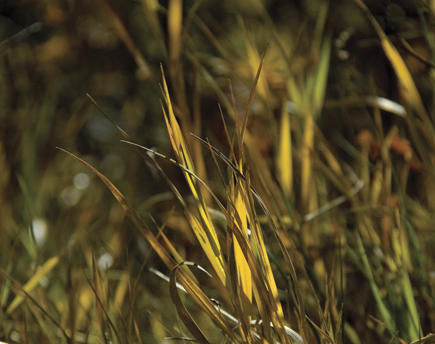
Equally odd to me is Face Detection in Live View, which, given a straight-ahead pose, will lock focus for you on the intended subject. The former seems intended to bridge a gap between Scene modes and actually learning something about photography while the latter seems great for mug shots, since, according to a note in the instruction manual, “Face detection will not work if the face is very small or large in the picture, too bright or too dark, tilted horizontally or diagonally, or partially hidden.” I really don’t mean to appear cynical about these features, and the technology is interesting, but I am puzzled by their inclusion in a camera in this class. I am equally mystified by the growth of sRAW formats, which in the 50D include sRAW1 (7.1 megapixels) and sRAW2 (3.8 megapixels). Yes, these offer raw processing flexibility for smaller resolution settings, but one can always change that in ACR anyway.
|
Live View
|
|
 |
|
|
Despite these small nitpicks, the above features certainly do not get in the way of the 50D being a great tool for making images. I especially appreciate the ease with which you can disengage focusing points from exposure readings, something unavailable, or that requires extensive gymnastics, in other D-SLR cameras. (Note that in Evaluative the exposure locks on the selected focusing point.) This fits in perfectly with how I read scenes; I read, lock, then recompose using, for the most part, CWA and spot. While your procedure might differ, this is an easy and quick way to make exposure and focusing decisions that take all the foibles of digital exposure into account.
| |||||||||
|

| ||||||||










 FEATURED VIDEO


Get the Latest Photo Tips, News & Reviews from Shutterbug!







| Camera Reviews Other Reviews | |
Mobile Reviews Photography Reviews Columns | |
News | |
Features | |
How-To | |
Resources |
 © 2026 Shutterbug
AVTech Media Americas Inc., USA
All rights reserved