


- REVIEWS
Camera Reviews 
More Reviews Mobile Reviews Photography Reviews - GALLERIES
- VIDEOS
- BUYER'S GUIDES
Canon PowerShot S60 5 Megapixels And Abundant Controls
Canon PowerShot S60 Quick Look
· 5.0 Megapixels
· $499 (Street price)
· Canon 3.6x zoom lens
Further Information
Canon PowerShot S60
http://www.usa.canon.com
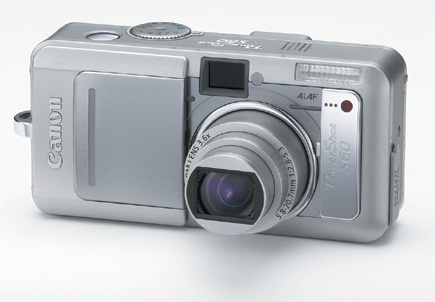
Whether you prefer to shoot on automatic or set your own picture effects using aperture and shutter speed, consider the compact Canon PowerShot S60 a very good traveling companion. With 5 megapixels and a Canon 3.6x zoom lens (15x using digital zoom), the S60 offers a bit wider angle of view than most (at the equivalent of 28mm) and a sturdy case with fully covered lens that makes you feel like you can pop it in a bag without fear of damage or dirt getting inside. Controls are easily accessible, with both auto and "Image Zone" settings (the preprogrammed setups for Portrait, Fast and Slow Shutter and a nice panorama mode called "Stitch Assist) and what Canon calls "Creative Zone" settings (aperture- and shutter-priority, as well as a Custom setting) on the top mounted Shooting mode dial. In addition, using the Function button, you access even more controls, including file size, drive modes, ISO, white balance and the so-called Photo Effects, including increased saturation, sepia, black and white, etc. In short, the svelte looking camera body offers access to a host of control and options with relative ease.
 |
|
|
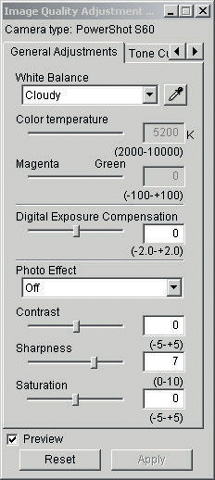
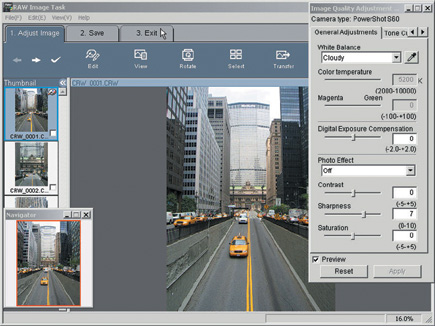
One of the nice surprises on this point-and-shoot looking model is the availability of raw file format, as well as various JPEG file sizes and compression ratios. And an even bigger surprise is that you can even change images you exposed using a JPEG file format to raw file format after the exposure is made, right in the camera. This is one way to select the "keepers" for the extensive post-processing benefits that raw provides. Unlike some other makers, Canon provides the raw converter program with the camera; it also gives you a simple movie edit program as well as PhotoStitch, essential for processing panorama files.
 |
|
 |
|
|
| |||||||||
|

| ||||||||


 FEATURED VIDEO


Get the Latest Photo Tips, News & Reviews from Shutterbug!







| Camera Reviews Other Reviews | |
Mobile Reviews Photography Reviews Columns | |
News | |
Features | |
How-To | |
Resources |
 © 2026 Shutterbug
AVTech Media Americas Inc., USA
All rights reserved