Holiday Books; For The Digital Photographer
Joe Farace, December, 2002

Holiday Digital Books
Digital imaging technology
changes so quickly that books seem like the least useful gifts to get
for your favorite photographer. You might prefer to get him or her an
extra memory card but for less money than a 64MB card, you can get them
something much more valuable—knowledge of how to use their computer
or digital camera to create better images. Here, collected all in one
place, are some of the best digital photography books I discovered during
the year.
|
Imaging Software
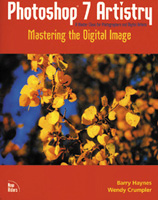
Photoshop 7 Artistry, Mastering The Digital Image; by
Barry Haynes and Wendy Crumpler. Published by New Riders, 201 West 103rd
St., Indianapolis, IN 46290; www.newriders.com;
466 pages; $55; softbound includes CD-ROM. (ISBN 0-7357-1240-9)
This is a must-have book for every Photoshop 7 user. Barry Haynes and
Wendy Crumpler speak Photoshop as a second language but make it easy for
those who aren’t experts to achieve effects they’ve only dreamed
about. And unlike lots of other Photoshop books, this one is written from
the perspective of the photographer—not the graphic artist. To the
authors’ credit, this book has fewer pages than their previous (also
impressive) Photoshop 6 book, but maintains high quality production values
throughout. What I really like best about Photoshop 7 Artistry is that
it doesn’t throw you in the deep end of the pool to see if you can
swim, but starts out by showing the basics of color and goes behind the
screens showing how to use such important Photoshop features such as Curves
and Levels. Photo junkies will love the “Getting a Good Exposure”
section, which is shown (in color and monochrome) in Zone System terms!
If you only buy one Photoshop book this year, make it Photoshop 7 Artistry.
|
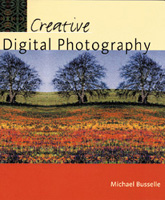
Creative Digital
Photography by Michael Busselle. Published by Amphoto Books,
176 Broadway, New York City, NY 10003; www.watsonguptill.com;
160 pages; $29.95; softbound. (ISBN 0-8174-3730-4)
The prolific Michael Busselle shows how to use digital darkroom pictures
to turn some (mostly) pretty nice pictures into some (mostly) pretty
impressive results, including using Photoshop to recreate the “falling
over backward” building effect that wide angle lenses produce
instead of trying to create straight lines! The book is a collection
of before and after shots impeccably printed on glossy paper in large
format that lets you get your nose into the photographs. And unlike
most American authors whose timid publishers won’t let them
include nude images, Busselle includes several nudes that are as tasteful
as they are elegant. The large text, big pictures, and easy to follow
narrative makes this a natural for the digital photographer who wants
to improve his or her photographs with some truly special, but not
over-the-top—except one—images.
|
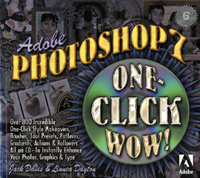
Adobe Photoshop
7 One-Click Wow! by Jack Davis and Linnea Dayton. Published by
Peachpit Press, 1249 Eighth St., Berkeley, CA 94710; www.peachpit.com/wow;
90 pages; $29.99; softbound includes CD-ROM. (ISBN 0-321-12531-2)
Jack Davis and Linnea Dayton, the digital magicians responsible for
the Photoshop Wow! series that seems to appear here each year, have
outdone themselves with a book that’s more a user’s guide
for the Actions and Layer Styles that are found on the CD-ROM. Featuring
the flawless and innovative design of the Wow! books and beautiful four-color
illustrations, One-Click Wow! guides you through the concept of how
Photoshop Actions and Layer Styles works, then shows how to use the
ones on the CD to produce eye-popping text effects. If you’ve
wondered how all those cool gold, plastic, organic, and glass text effects
you see on TV or in print were created, Davis and Dayton show you how
to do it literally in one click. Do yourself a favor and buy two copies:
one to give as a gift and the other to keep, like I do, next to my computer.
|
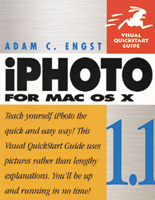
iPhoto 1.1 for
Mac OS X by Adam C. Engst. Published by Peachpit Press, 1249 Eighth
St., Berkeley, CA 94710; www.peachpit.com;
134 pages; $19.99; softbound. (ISBN 0-321-12165-1)
Part of Peachpit Press’ Visual Quickstart Guides, iPhoto 1.1 for
Mac OS X is the user’s guide for Apple’s free digital camera
software and is better than any software user’s guide that’s
ever been written. Although published in black and white, the illustrations
are well reproduced and plentiful. Like the rest of the books in the
series, most of the book uses a format in which a single topic is covered
in detail on a single page in a single column of text; the other column
is filled with illustrations and sidebars that make sure that by the
time you’re finished reading that page (it won’t take that
long) you’ve got that topic covered and are ready for the next
one. Engst’s text is lucid and easy to follow for the novice,
but the more experienced digital photographer won’t feel as if
they are being talked to like “dummies,” like some other
books. It’s a must-have reference for Apple iPhoto users.
|
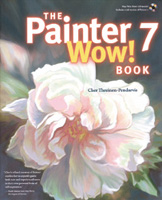
The Painter 7
Wow! Book by Cher Threinen-Pendarvis. Published by Peachpit Press,
1249 Eighth St., Berkeley, CA 94710; www.peachpit.com;
404 pages; $49.99; softbound includes CD-ROM. (ISBN 0-201-77362-7)
Painter doesn’t conveniently fit into any category between Photoshop
and Illustrator. Its unique and some might say difficult to understand
interface seems less complex to graphic artists used to working with
traditional materials, and that’s what Painter does best. It’s
a true digital paint box that many photographers have also used to create
striking images. The author takes you behind the screens using the Wow!
format of one tip per page (or two) with all screen shots in beautifully
printed full color illuminated with text by a teacher who can also write.
Hand-tinting photos has always been a chore for me in Photoshop, but
Threinen-Pendarvis shows how to use Painter to do it in two pages. Photographers
will revel in Chapter 6, which is aimed at them and might be tempted
to skip some of the art-oriented ones. That would be too bad; if you’ve
got the program you might as well explore it using this best-ever edition
of the Painter Wow! books.
|
| |
 |
The Desktop Photographer
by Tim Daly. Published by Amphoto Books, 176 Broadway, New York City,
NY 10003; www.watsonguptill.com;
144 pages; $24.95; softbound. (ISBN 0-8174-3783-5)
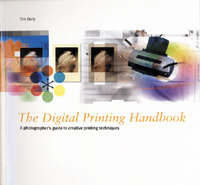
The Digital Printing Handbook by Tim Daly. Published by Amphoto
Books, 160 Broadway, New York City, NY 10003; www.watsonguptill.com;
144 pages; $24.95; softbound. (ISBN 0-8174-3827-0)
He’s not Wings Tim Daly, but this author has given us what could
be subtitled “an overview of the digital imaging process”
and covers all of the topics from capture to enhancement and output. Since
Daly does this in 144 pages, this is a challenge but he does a darn good
job of hitting the highlights from scanning to printing. While not solely
focused on Photoshop, lots of tips are included for improving and enhancing
images; all include excellent photographs and a logical step by step sequence
of images that explains exactly how to get from A to Z. Other than the
boring cover the internal design is excellent and enhanced by superb four-color
reproduction. This is an excellent book for anyone contemplating the move
from film to digital; it reveals what’s involved but shows the potential
for creating stimulating images.
At deadline my UPS delivery person handed me Daly’s other book,
The Digital Printing Handbook. For those readers who have been asking
about my book Printing the Image, which is only available to European
audiences, this is a perfect replacement. This book is beautifully designed,
printed, and illustrated but is also veddy, veddy British. It is full
of useful “Colour Techniques” and can be extremely basic at
times. (There are tips on the care and feeding of floppy disks, for example.)
There are also some web site URLs mentioned that do not appear to be functioning
at this time, but that is the “way of the web.” If you are
new to the digital darkroom and want to improve the quality of your output,
The Digital Printing Handbook is a perfect place to start.
|
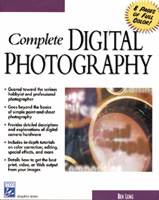
Complete Digital
Photography by Ben Long. Published by Charles River Media, 20 Downer
Ave., Ste. 3, Hingham, MA 02043; www.charlesriver.com;
428 pages; $39.95; softbound includes CD-ROM. (ISBN 0-321-12165-1)
Introductory digital photography books abound this year, and this one
includes a CD-ROM with demo and tryout versions of programs and plug-ins
for Mac OS and Windows computer users. In mostly black and white pages
(there’s a few pages of color) the author provides a more than
superficial look at capture, enhance, and output. He has struck a good
balance of providing enough technical details to keep it interesting
but not enough to put you to sleep. The clean, almost textbook-like
design is occasionally marred by less than perfect reproduction (at
least on the copy I received) but don’t let that deter your taking
advantage of the tips that Ben Long provides on practical subjects such
as using your digicam’s metering system to get the best possible
exposures or how to get the most out of Photoshop’s insanely wonderful
Curves function. This one’s for the Intermediate user who wants
to know what’s behind those pixels and the author holds nothing
back.
|
Digicams On Parade
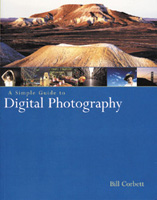
A Simple Guide to Digital Photography by Bill Corbett.
Published by Amphoto Books, 176 Broadway, New York City, NY 10003; www.watsonguptill.com;
348 pages; $24.95; softbound. (ISBN 0-8174-5890-5)
Australian photographer Bill Corbett has created a book that actually
lives up to its name. While large illustrations, big screen shots (instead
of the tiny ones that usually appear in these kind of books), and judicious
use of white space make it an easy and pleasant read, Corbett’s
advice is good but occasionally punctured with Australian English that
makes you go back and read a sentence asking, “what did he say?”
That’s a good thing because it means you’re actually reading
the book. Illustrations range from the spectacular to the forgettable
but all are well produced on heavy, glossy paper. With a US publication
date of 2002, the folly of putting version numbers of software was immediately
obvious upon seeing a box shot of Photoshop 5.5, with 7.0 residing on
most digital photographers’ hard drives since early this year.
Nevertheless, it’s a useful introductory-level gift book for the
newbie just getting involved in digital photography.
|
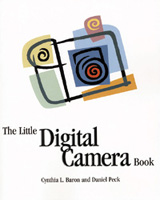
The Little Digital
Camera Book by Cynthia L. Baron and Daniel Peck. Published by Peachpit
Press, 1249 Eighth St., Berkeley, CA 94710; www.peachpit.com;
230 pages; $21.99; softbound. (ISBN 0-321-12530-4)
Unlike Robin Williams’ otherwise wonderful The Little Mac OS X
Book, which weighs in at 824 pages, The Little Digital Camera Book is
actually little. Kinda, anyway. In a little over 200 pages, Cynthia
L. Baron and Daniel Peck take the brand-new digital camera owner (its
obvious audience) into the land of megapixels and more. The authors
overcome the competent but uninspired design and adequate reproduction
that’s not up to the usual standards of previous Peachpit graphics
books, but the text bristles with good advice and is fun and easy to
read, partially because of the large typeface the designer wisely chose.
Baron and Peck mix guidance on when to use JPEG, TIFF, and RAW file
formats with basic retouching tips that will make the people you photograph
love you more when your prints make them look younger. If you know someone
who’s getting his or her first digital camera for the holidays,
make sure this book is under the tree!
|
Reference
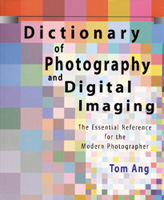
Dictionary of Photography and Digital Imaging by
Tom Ang. Published by Amphoto Books, 770 Broadway, New York City,
NY 10003; www.watsonguptill.com;
348 pages; $21.95; softbound. (ISBN 0-8174-3789-4)
My pal and Shutterbug contributor, Rick Sammon (www.ricksammon.com),
turned me on to this handy reference volume. In the interest of full-disclosure,
I am the author of The Digital Imaging Dictionary (www.allworth.com)
that is different from this handy book in many ways: The biggest difference
is that Tom Ang includes photographic terms as well as digital imaging
ones. For example, under “D” you can find the definition
of “decamired” as well as “dynamic range.”
The author packs lots of data in the 348 pages, which leads to some
definitions to become cryptic—“dynamic range” is
a good example—for the more casual reader. And while the Dictionary
of Photography and Digital Imaging is blessed with an attractive and
readable two-color design, there are no photographs of any kind. Still,
with its compact 63/4x8” size, it’s a useful tome for
the more techie reader who wants to keep up with all of the buzzwords
in traditional and digital photography.
|
| |
 |
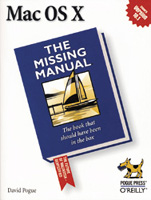
Mac OS X: The Missing
Manual by David Pogue. Published by Pogue Press/O’Reilly, 1005
Gravenstein Highway North, Sebastopol, CA 95472; www.oreilly.com;
583 pages; $24.95; softbound. (ISBN 0-596-00082-2)
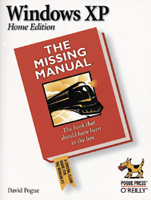
Windows XP Home Edition: The Missing Manual by David Pogue. Published
by Pogue Press/O’Reilly, 1005 Gravenstein Highway North, Sebastopol,
CA 95472; www.oreilly.com;
571 pages; $24.95; softbound. (ISBN 0-596-00260-2)
Many Macintosh users have embraced OS X as the future of Mac OS computing.
If that describes you or a loved one, get a copy of David Pogue’s
book. The book includes information on Version 10.1, but as I type this
OS X 10.2, code-named Jaguar, is about to be released, so maybe Pogue
and O’Reilly will have an update by the time you read this. All
of the text is written in the clear, precise, no BS tone that’s
Pogue’s patented style. While it would be nice if there were a few
more illustrations, the book is clearly aimed at the Macintosh faithful
or at least users who have some experience with the original (classic)
Mac OS interface. It is, nonetheless, the very best book that I’ve
found so far on this new operating system. I just wish it were a little
smaller.
In just 571 pages David Pogue has brought tons of clarity to the Windows
XP operating system. Windows XP has been designed to be very image friendly
and every possible aspect makes it the OS of choice for digital or any
kind of photographer not working on the Macintosh platform. Windows XP
Home Edition: The Missing Manual helps you through learning the power
drag-and-drop CD burning routines, which will make creating discs of digital
images from your digicam’s memory cards a snap. Users of Windows
XP at Shutterbug’s workshops seldom have problems making CDs because
everything is built into the OS, and Pogue shows you lots of practical
tips on navigating through the elegant interface. If you’re using
an older version of Windows, especially the dreaded Millennium, install
XP soon, then get a copy of Pogue’s book. Maybe get them both at
the same time.
|
The Book of
WinZip by Jerry Lee Ford, Jr. Published by No Starch Press, 555
De Haro St., Ste. 250, San Francisco, CA 94107; www.nostarch.com;
167 pages; $14.95; softbound. (ISBN 1-886411-75-1)
If you use Microsoft Windows, chances are you also use the WinZip file
compression software; it’s everywhere. The Book of WinZip covers
everything Zip newcomers need to know about creating file archives or
self-extracting files they can send to friends or colleagues. Sharply
printed text and snappy illustrations (although I wish there were more
of them but I know publishers can be stingy and this is an inexpensive
book) help guide you through steps in using WinZip to save hard disk
space, scan files for viruses, and save Zip files across several different
floppy disks. If you’ve been wondering what the fuss is about
Zip files, you need this book.
|
|