


- REVIEWS
Camera Reviews 
More Reviews Mobile Reviews Photography Reviews - GALLERIES
- VIDEOS
- BUYER'S GUIDES

The NEC SpectraView II Color System; Is This The Best System For The Price?
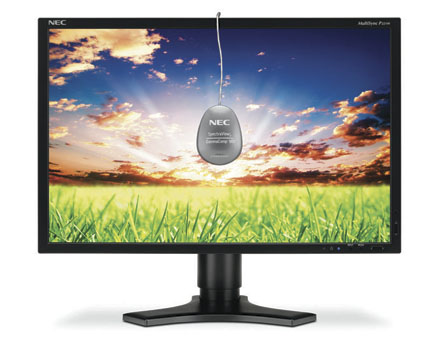
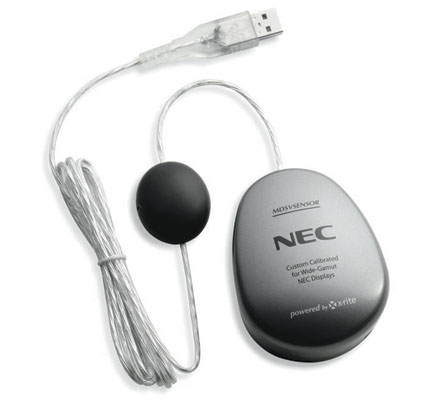
One of the most important aspects of this product package is that it’s the first to offer ideal color reproduction for digital photography in an integrated package at a cost many individual photographers can afford. As I was writing this report I checked online and the price for the MultiSync P221W LCD display with SpectraView II was $725, which includes the LCD display, along with adjustment, calibration, and profiling software plus a colorimeter to match.
 |
|
 |
|
|
Let’s begin with some basic premises. A display and a computer are two separate and distinct products that must work together to accurately get a digital photo image to look the same on screen and in print, or any other media chosen. This involves the adjustment of the display, matching it to the output of the computer video card (calibration), and the profiling of the display.
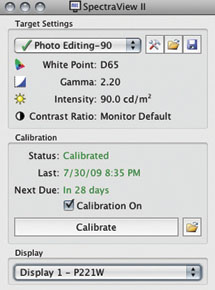
The first function is setting up the brightness of the display, which is really the range of light values it reproduces. In this case, this is not adjusted primarily by a manual “brightness” control found on many displays, but by the contrast/gain control, used to achieve a white luminance value—the light emitting range of the display. For printing, the display white luminance should match the white of the paper used. I have found that the typical white luminance of now obsolete CRTs of 90.0 CD/m2, in practical terms, provides a display that will reproduce prints that match the display image. (Here, for photography, there may be an apparent difference with the 140.0 CD/m2 that is the SpectraView’s default, apparently based on user photographer preferences). This adjustment to the white luminance value aim point set in the software is accomplished through a part of the (DVI) cable connection between the computer and display. This is an NEC proprietary DDC/CI link; the computer, through the SpectraView II software, actually adjusts the internal settings of the display.
 |
|
 |
|
|
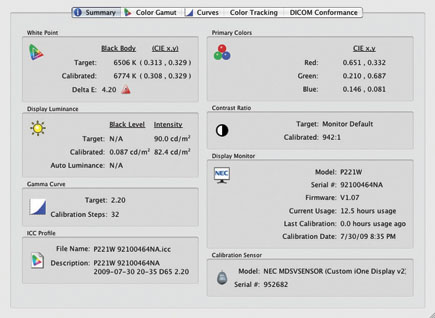
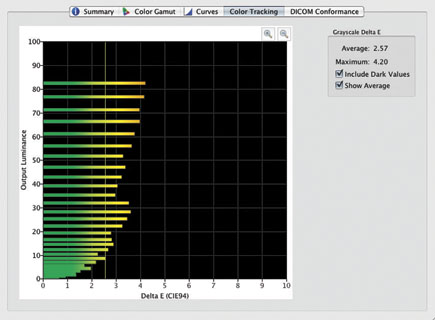
If you have read about display profiling, the term “calibration” is included, and seldom explained. Each computer’s video (card) can have a slightly different signal than another. The SpectraView II software with the colorimeter in place measures this and compares the video output to an ICC color standard. It then determines what the video card output should be for the display to operate consistently with this ICC color standard. This is the basis of all color management. The result of calibration is an executable information file that is installed in your computer’s Start-Up folder. This file is launched as part of computer boot-up and adjusts the output of the video card to provide a basis for the display’s profiled operation.
 |
|
|
Profiling is then conducted by the SpectraView II software that displays a series of different colored and gray patches on screen that are read by the colorimeter. These readings are matched with what the ICC color reference says they should be. The result is essentially a text file that we call a profile that details the differences between the color the display produces and the ICC target, which then defines, for a color-managed application like Photoshop, how the application should display an image on screen. It also provides a reference specifically to the source of a color image file with an embedded display profile. For example, if you make a screen capture and then open the file, you will find the display profile reference as part of the file information.
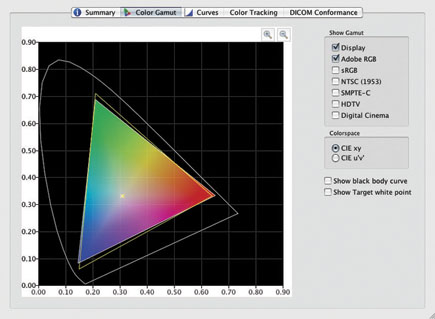
The NEC MultiSync P221W-BK-SV is a 22” widescreen LCD display that provides a large color gamut that is 95.6 percent of the Adobe RGB color space. It has internal 10-bit LUTs (Look Up Tables) that support displaying 16.7 million colors out of a palette of 1.05 billion for lossless, smooth image display. With many other displays color management is accomplished through the LUTs in the computer video card rather than in the display itself, which is done with NEC with SpectraView II support. The NEC P221W has a resolution of 1680x1050 pixels in a substantial and fully adjustable stand. Detailed information is available on the NEC website at: www.necdisplay.com/Products/Product/?product=14c36ffc-c520-4bbe-8e6a-ca1c522e6cbf.
 |
|
|
 |
|
|
 |
|
|
| |||||||||
|

| ||||||||
















 FEATURED VIDEO


Get the Latest Photo Tips, News & Reviews from Shutterbug!







| Camera Reviews Other Reviews | |
Mobile Reviews Photography Reviews Columns | |
News | |
Features | |
How-To | |
Resources |
 © 2026 Shutterbug
AVTech Media Americas Inc., USA
All rights reserved