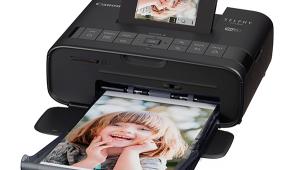
Epson’s Stylus Photo 1400; A New Dye-Ink Printer That Replaces The 1280
David B. Brooks, June, 2007

The Epson Stylus Photo 1280 has been going strong for almost six years now,
and you’d think that Epson’s replacement model, the Stylus Photo
1400, must be exceptional to be worthy of replacing such a venerable printer.
While the idea has merit, the fact is that Epson’s letter-sized, dye-ink
photo printers, such as the R380, already have new inks; the 1280 was the last
holdout of old technology. So, should you mourn the loss of an old, reliable
friend, or take advantage of the technological improvements in inkjet printing
over the last six years? Maybe I can provide an answer based on my experience
testing this new Epson printer.
|
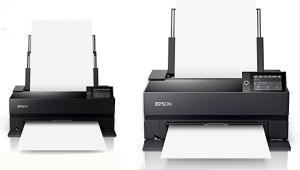
The new Epson Stylus Photo 1400 is the first new dye-ink 13”
inkjet from Epson in six years. With its new Claria inks that pass high longevity tests made by
Wilhelm Imaging Research, the 1400 is now a comparable and serious choice compared to pigment-ink
alternatives. |
|
Features And Performance
Like the 1280, the new Epson Stylus Photo 1400 is a 13” wide printer that
will produce 13x19” enlargements, but much faster. In addition, each of
its six now individual large-capacity ink cartridges are loaded with the new,
richer-colored, longer-lasting Claria ink. An added feature the 1280 lacked
is the ability to print on CD and DVD printable discs.
The Claria inks were introduced with three new Epson letter-sized printers in
2006. They create images on paper with exceptionally fine, 1.5 picoliter droplets
to reproduce very fine detail and image sharpness. A 98-year display life has
been established for Claria inks by Wilhelm Imaging Research (www.wilhelm-research.com
/epson/RX580.html).
The shape and functions of the Epson Stylus Photo 1400 have a close similarity
to the R1800 and R2400 models in the way paper media is input and output. On
the front of the 1400, to the left of the output tray, is a socket for a cable
to connect to digital cameras. This provides PictBridge support for printing
directly from the camera with an Epson built-in photo correction capability.
You can print up to 13x19” paper size and reproduce border-free print
images on paper sizes from 4x6 to 13x19”. Connectivity to either a Windows
PC (including Vista) or an Apple Mac with OS 10.2.8 or higher is via a USB 2.0
cable. The Stylus Photo 1400 comes with a software bundle that includes the
Epson driver, Epson Print CD, Web To Page, and Adobe’s Photoshop Elements.
Epson’s price for the 1400, as sold by their online store, is $399.
|
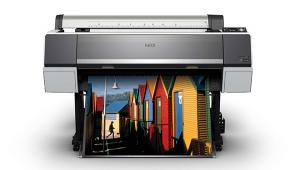
On the coast of northern California and Oregon the air can be crystal
clear and the blues of the ocean
and sky contrasted against the neutral black of volcanic rock is
a striking scene. It is reproduced with superb fidelity in prints made with the Epson Stylus Photo 1400
printer.
All Photos © 2007, David B. Brooks, All Rights Reserved |
|
I was really quite interested in this new Epson Stylus Photo 1400 replacement
for the 1280 in part because I was a little burned out working with pigment-ink
printers, and I was very curious what the new Epson ink formulation called Claria
was all about. I even had a 100-sheet package of Epson Photo Paper Glossy, so
I started with it. But my first print using my standard test image was very
disappointing—it exhibited a substantial magenta bias and was much too
dark. This result came with Photoshop set to control color and using the Epson
profile specifically for Photo Paper Glossy, provided as part of the driver
installation. However, the Epson Users Guide for the 1400 does include very
clear and complete instructions for printing with full color management control,
so just because you have experience with inkjet printing and think you know
what you are doing, it pays to read the instructions.
I made another print to be sure, but found I hadn’t made any mistakes,
so I set about creating a custom printer/paper profile for Epson’s Photo
Paper and the 1400 using ColorVision’s PrintFIX PRO 2.0. I then made yet
another test print. Wow! The result was a really dead-on, gorgeously accurate
reproduction as close to what was displayed on screen as you could expect. So,
relieved and encouraged, I printed a selection of very different images with
diverse subjects; results were equally accurate.
But what about other types and kinds of Epson paper like Premium Luster or Enhanced
Matte? There is no specific 1400 profile for Enhanced Matte so I used the one
for Heavyweight Matte that’s ganged with Presentation Matte and a couple
of other papers. The result using the Epson profile was not as far off as what
I obtained with the Photo Paper profile, but it was still biased to the magenta
side. So again I custom profiled for Enhanced Matte with the 1400, and again
obtained a completely satisfactory print performance.
|
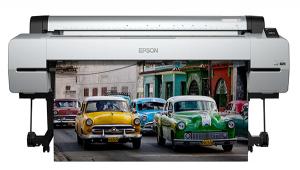
Intensely colored subjects like cars at a hot rod show are hard
to resist with a camera, and the resulting images print with color
intensity that equals the subject using Epson’s new Stylus
Photo 1400 and Claria inks. |
|
As I worked I was reminded that prints made on matte paper with dye-based
inks have a much different look compared to prints made on glossy surface papers.
It’s a bit like the difference between satin and velvet—a softer
look. However, the new Claria inks reproduce a more intensely colored print
on matte paper compared to prints I had on file made with the 1280 and other
older generation dye-ink printers.
That’s simple enough, but along with the new inks Epson renamed some of
their papers, for instance Premium Photo Paper Glossy is now Ultra Premium Photo
Paper Glossy, and Premium Luster is Ultra Premium Photo Paper Luster. It is
the same paper as before, just a new name.
|